Change the scene. Keep the product.
One reference-led edit and a product-accuracy review.
What you need
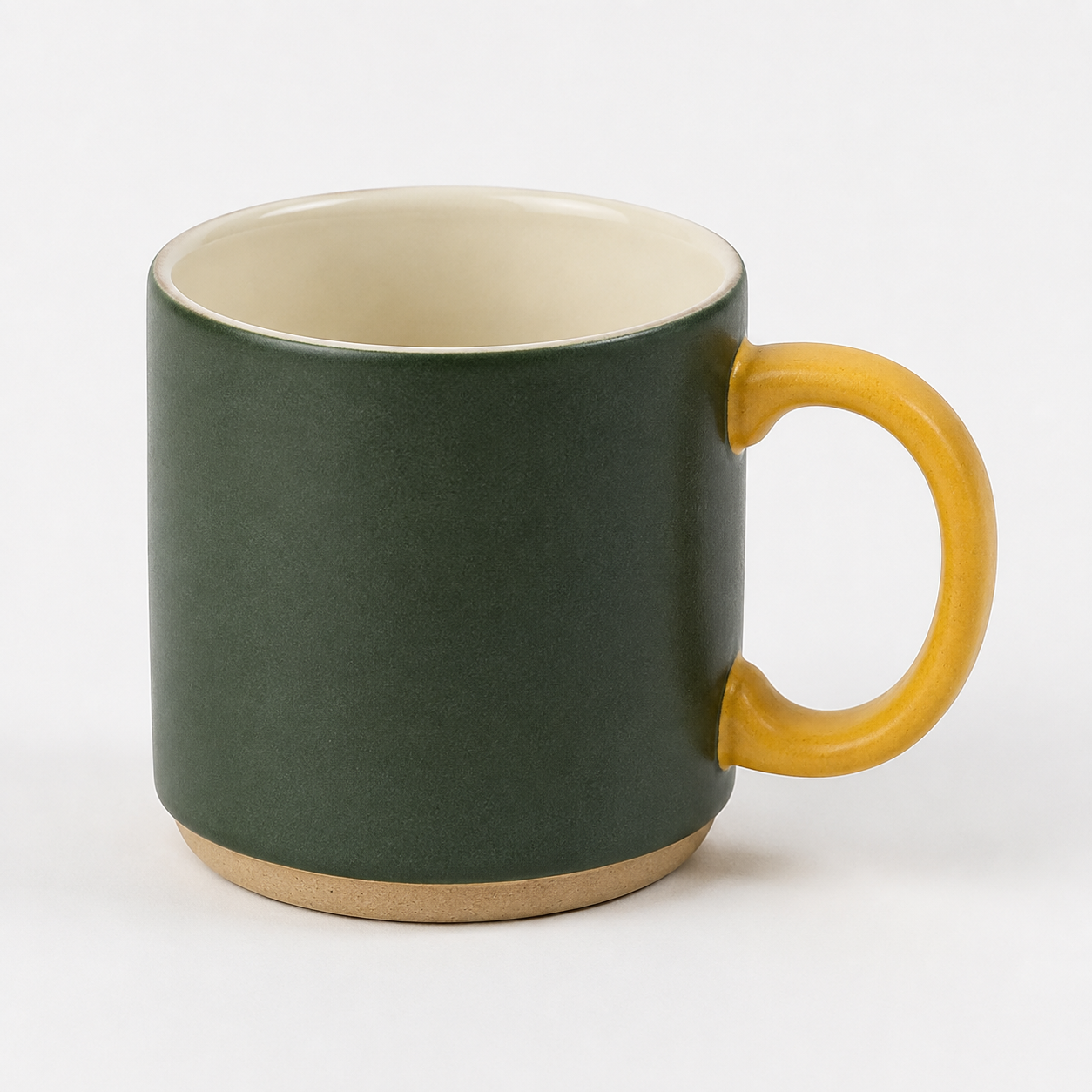
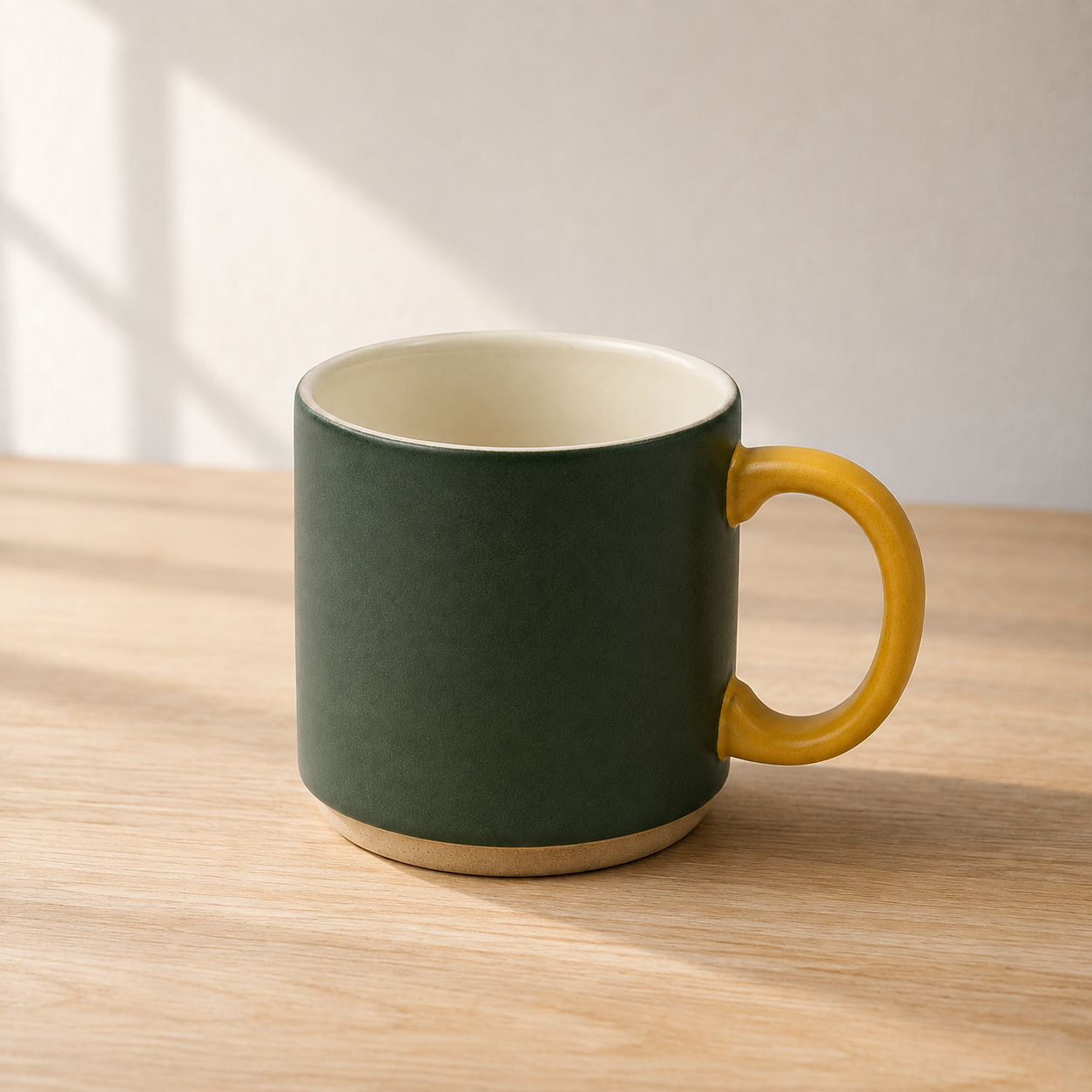
An owned product photo, approved product facts and an image-editing tool. Check access and cost before generating. The course's fictional mug reference is a practice input, not an Images 2.5 output.
A fictional product to inspect
These teaching images were independently generated with OpenAI's image-generation tool, not Cirka. They are not Images 2.5 test results or photographs of a real product. Compare the handle, silhouette, colour and foot before judging the scene.
Work through the exercise
- List five features that identify the product. Mark anything the photo cannot establish as unknown. Photograph another angle if the requested view would require inventing a hidden surface.
- Attach the reference and fill the prompt. Request only a scene change. Save the first result even if it fails; record the exact model or app label, elapsed time and any displayed charge.
- Compare the original and edit at full size: silhouette, openings, label, material and scale cues. Allow one repair, naming only the failed detail. Stop if it still changes the product.
- Share the reference, attempt and checks in Content machine. Mark fictional practice products clearly. A generated image is not evidence for a product claim.
You can complete this guide by saving the deliverable and review in your own folder. Sharing inside the club is optional and requires membership.
A prompt to adapt
Replace the bracketed inputs with your own approved material. Keep unknown facts marked unknown.
Edit the attached product photo.
Product identity to preserve: [five visible details].
Change only: the background to [scene] and its matching contact shadow.
Keep the product's outline, proportions, markings, material and camera angle unchanged. No new accessories, labels or features.
Leave room at [position] for text I will add in an editor.
If the scene requires showing a surface absent from the reference, keep the original view instead of inventing it.Review your result
- All five identity details still match the reference.
- No unsupported product feature or claim appears.
- The review log includes rejected attempts, model label, time and cost if shown.
If it fails
Return to the original reference, not the distorted result. Name the incorrect feature and request the same scene without changing that feature. Composite the real product in an editor if fidelity remains insufficient.
Try recalling it later
Which matters more for a product edit: a prettier room or an unchanged silhouette?
Read the explanation
Product identity is the acceptance gate. A better background cannot compensate for a different product.
Sources and tools
This is an original club exercise. The source-check date identifies this reference edition; it is not a result from running the prompt.
Cirka is our founder's app. We use it as an optional creative workspace in these examples. A separate subscription or credits may be required. Check the tools and models actually available in your account; a model mentioned in a guide is not a claim of Cirka integration.
Continue from here
See how this exercise fits into the AI content creation course, including its full public syllabus.
Browse all free guides for another task, or save your work and return to it later.
Keep learning in the club
Course outlines and these guides are free to read without an account. Full lesson bodies and member features require a paid membership. The preview uses sample data; external tools may charge separately.