One product. Three reasons to care.
Three distinct ad briefs and one reviewed product image.
What you need
A product photo you can use, five verified product facts, and one buyer. A Cirka subscription or credits may be needed to render; the brief can be completed in a document first.
A fictional product to inspect
These teaching images were independently generated with OpenAI's image-generation tool, not Cirka. They are not Images 2.5 test results or photographs of a real product. Compare the handle, silhouette, colour and foot before judging the scene.
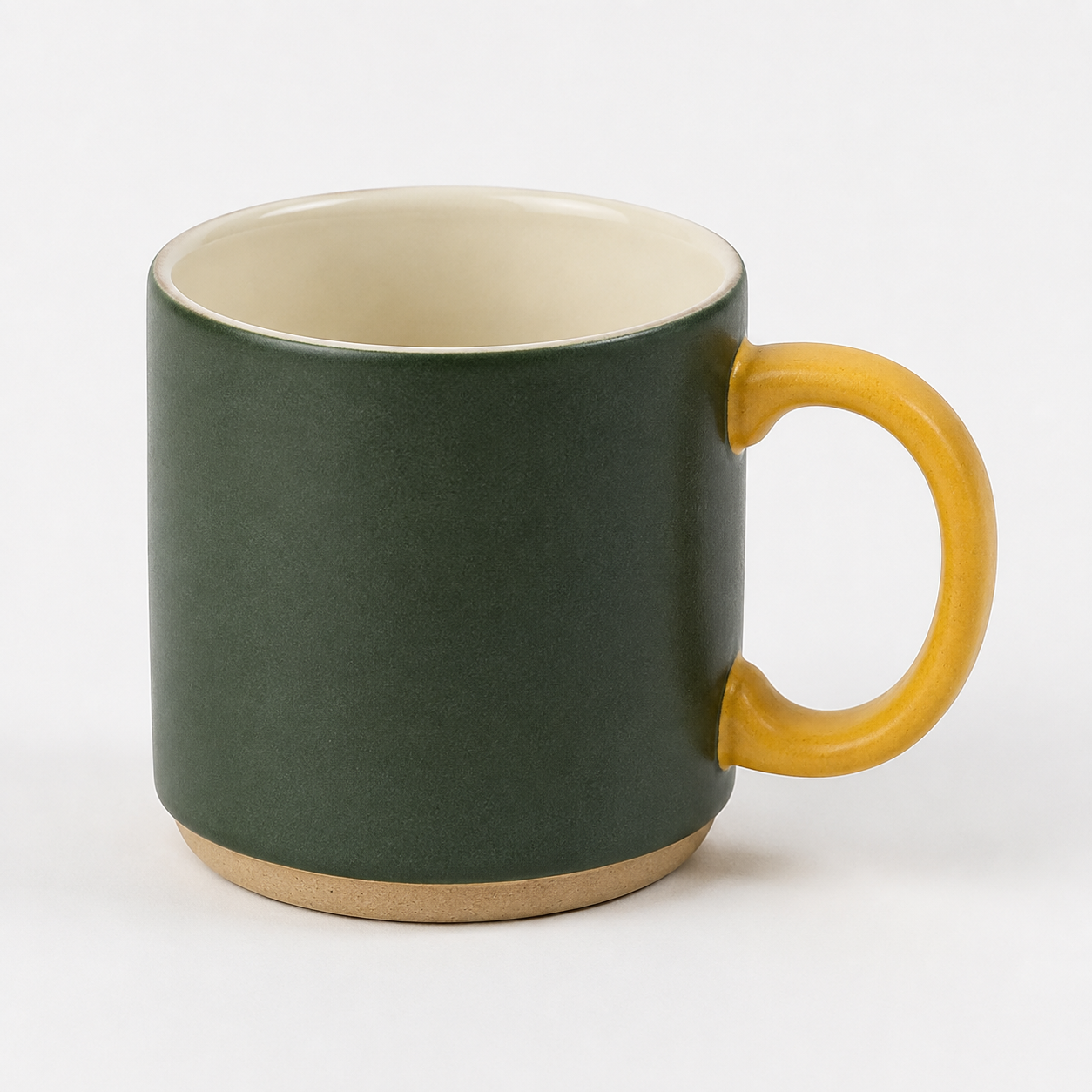
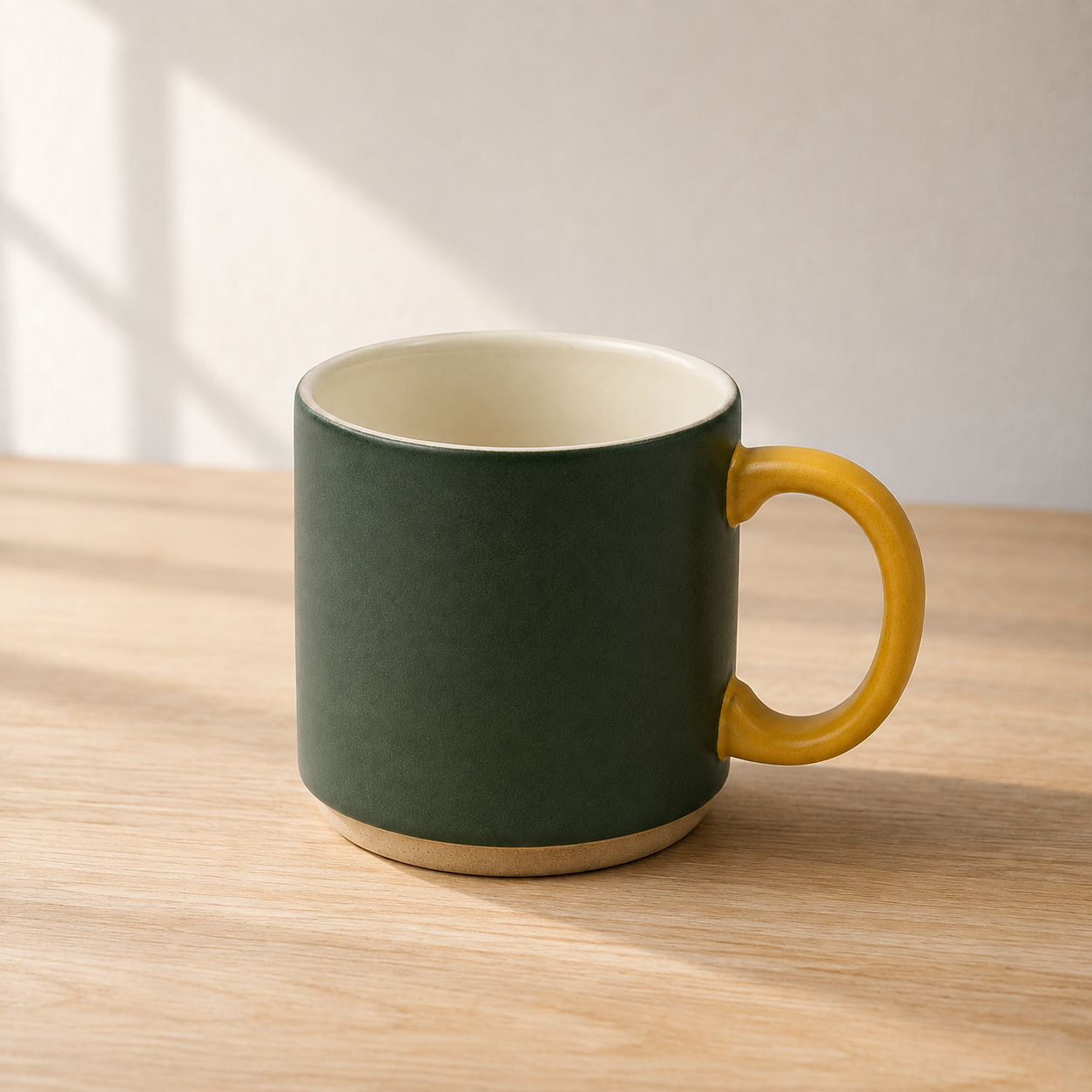
Work through the exercise
- Pick one real product. Write its dimensions, material, available colours, current price and one supported benefit. If a fact is unknown, label it unknown. Keep the original photo next to this fact sheet. A description of an imaginary product is a valid practice input, but label the result a fictional example.
- Write three different purchase situations: a first-time buyer trying to understand the product, an existing buyer replacing something, and someone choosing a gift. For each, choose one question the image should answer. Changing the background while keeping the same message does not create a new angle.
- Open Cirka Creative Studio and supply the product photo and approved facts. Choose an image format available in the workspace. Use the prompt below for the most useful situation first. Check the displayed credit cost before generating; set a maximum of two attempts for this exercise.
- Review the result beside the original at full size, then at phone size. Check the shape, cap or handle, material, label and reflections. If only the background fails, use Cirka's region-edit option where available. Keep the product unchanged and give one correction. Replacing the entire brief makes it harder to learn what caused the improvement.
- Save the accepted image, prompt version, model shown by the app, credit cost and rejected attempt. Write one sentence explaining the buyer question it answers. Share the result in Community, Content machine, with your checks and one specific request for feedback.
You can complete this guide by saving the deliverable and review in your own folder. Sharing inside the club is optional and requires membership.
A prompt to adapt
Replace the bracketed inputs with your own approved material. Keep unknown facts marked unknown.
Create one product image using my supplied photo as the identity reference.
Buyer situation: [one specific situation].
Question the picture must answer: [one question].
Keep unchanged: [shape, material, colour, label and other identity details].
Scene: [one setting that demonstrates the use].
Composition: product readable at phone size; leave [location] clear for a headline added later.
Light: [one physically plausible light source].
Approved facts: [facts only].
Do not add prices, awards, customer quotes or product features. If the requested scene conflicts with the reference, flag the conflict before proceeding.
Review your result
- Product identity matches the supplied photo.
- Each of the three briefs answers a different buyer question.
- The selected result contains no invented claim.
- The prompt, cost and correction are saved with the image.
If it fails
If the product drifts, simplify the scene and use the original photo again. If the message is unclear, fix the buyer question before adding more lighting adjectives.
Try recalling it later
Tomorrow, without reopening the brief: what made the three angles different?
Read the explanation
They answered different purchase questions. A new crop, colour or background alone is a visual variation, not a new selling angle.
Sources and tools
This is an original club exercise. The source-check date identifies this reference edition; it is not a result from running the prompt.
Cirka is our founder's app. We use it as an optional creative workspace in these examples. A separate subscription or credits may be required. Check the tools and models actually available in your account; a model mentioned in a guide is not a claim of Cirka integration.
Continue from here
See how this exercise fits into the AI content creation course, including its full public syllabus.
Browse all free guides for another task, or save your work and return to it later.
Keep learning in the club
Course outlines and these guides are free to read without an account. Full lesson bodies and member features require a paid membership. The preview uses sample data; external tools may charge separately.